
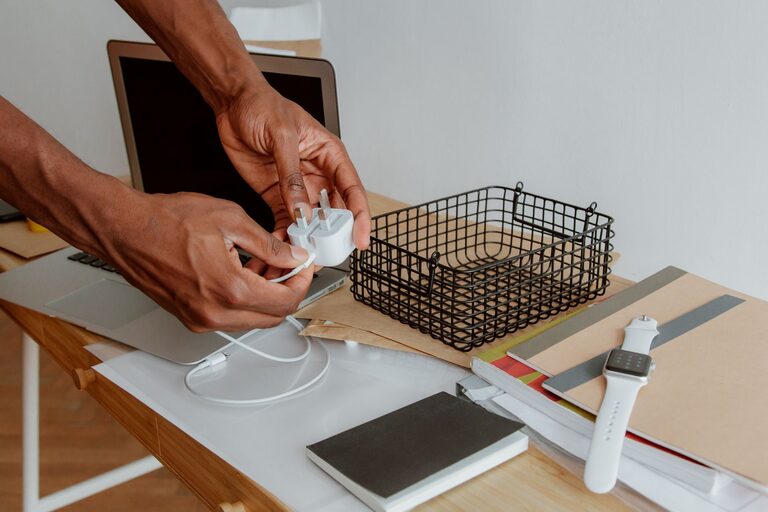
Cables and chargers have a way of gathering in drawers, bags, and corners of the home. Before long, different cords become tangled together, charging blocks go missing, and it is difficult to tell which cable belongs to which device.
A simple cable organization system can make everyday routines easier. With a few basic supplies and some regular maintenance, you can keep cables tidy, accessible, and in good condition.
Start by Gathering Every Cable
The first step is to bring all your cables and chargers into one place. Check common storage areas, including:
– Desk drawers
– Bedside tables
– Kitchen counters
– Travel bags
– Entertainment units
– Storage bins
– Coat pockets
– Computer bags
Place everything on a clean, open surface. This gives you a clear view of what you have and helps prevent duplicate purchases.
Untangle the cables carefully rather than pulling them apart. Pulling too hard can damage the cable, especially near the connector or charging block.
Sort Cables Into Useful Groups
Once everything is gathered, sort the items into groups. The best categories will depend on your home, but these are good starting points:
– Phone and tablet chargers
– Computer and monitor cables
– Audio and video cables
– Camera and gaming accessories
– Travel chargers
– Spare or occasional-use cables
– Cables that need testing
– Cables ready for recycling
Keep each group separate while you work. You may also want to create a small “unknown” pile for cables you cannot identify immediately.
Match Cables to Devices
Look at the connectors and cable lengths to identify what each item is used for. Some cables may look similar but serve different purposes. For example, two cables may fit the same device while offering different charging or data capabilities.
If a cable still cannot be identified, test it with a compatible device when possible. Avoid forcing a connector into a port. If you are unsure whether a cable is suitable, set it aside until you can check the manufacturer’s information.
Remove Damaged or Unneeded Items
Inspect each cable before storing it. Look for:
– Frayed or split outer covering
– Bent or loose connectors
– Exposed wires
– Cracked charging blocks
– Burn marks or unusual odours
– Cables that become unusually warm during normal use
Do not keep damaged cables in regular storage. Set them aside for proper recycling or disposal according to your local guidelines.
You can also remove cables that belong to devices you no longer own. If you have several identical cables, keep only the number you realistically use and perhaps one spare. Reducing the collection makes the remaining items easier to manage.
Choose a Storage Method
The best storage system is one that suits your routine. If you use a cable every day, it should be easy to reach. Cables used only occasionally can be stored in a labelled box or container.
Use Small Bins or Boxes
Small containers work well for separating cable types. You could use one box for phone chargers, another for computer cables, and a third for travel accessories.
Choose containers that are large enough to hold the cables without crushing them. Clear boxes make it easier to see what is inside, while solid containers can create a cleaner appearance.
Add a label to the front of each container. Simple labels such as “Phone Chargers,” “Computer Cables,” and “Travel” are usually enough.
Try a Drawer Organizer
Drawer dividers or small compartments can prevent cables from mixing together. Store each cable in its own section, or group similar cables in one compartment.
This method is especially useful for a home office or bedside table. It keeps frequently used chargers close by without allowing them to spread across the entire drawer.
Use a Cable Bag for Travel
A small cable pouch can keep travel accessories together. Look for one with several pockets, elastic loops, or a zippered section. These features help separate charging blocks, cables, adapters, and small accessories.
Keep the travel pouch packed with the items you use most often. This saves time when preparing for a trip and reduces the chance of leaving a charger behind.
Coil Cables Without Damaging Them
The way you wrap a cable affects how long it lasts. Avoid winding cables tightly around a charging block or bending them sharply near the connector.
Instead, use a loose loop that follows the natural curve of the cable. Secure it with one of the following:
– Reusable hook and loop ties
– Silicone cable bands
– Reusable fabric ties
– Cable clips
– Small elastic loops
Do not use staples, tape that leaves a sticky residue, or tight plastic ties. These can press into the cable covering or make the wire difficult to unwind.
For thicker cables, use a wider loop. A cable should not be folded into a small bundle simply to save space.
Label Cables Clearly
Labels are particularly helpful when several cables look alike. You can label a cable based on its device, location, or purpose.
For example, a label might read:
– Work laptop
– Bedroom lamp
– Tablet
– Monitor
– Travel spare
Place the label close to one end of the cable so it can be read while the cable is plugged in. Small reusable tags, coloured bands, or simple write-on labels can all work well.
Colour coding is another useful option. You might use one colour for work equipment, another for entertainment devices, and a third for travel items. Choose a system that is easy to remember.
Manage Cables at Your Desk
A tidy desk needs both storage and routing. Start by deciding where each device should sit. Then guide each cable along the shortest practical route to the power source.
Use adhesive cable clips or an under-desk cable tray to keep cords off the floor. Clips can also stop a cable from sliding behind the desk when it is unplugged.
Keep the power bar in an accessible but tidy location. Avoid placing it where cables are likely to be stepped on or trapped under furniture. Leave enough slack for normal movement without creating large loops.
If several devices share one area, bundle only the cables that travel in the same direction. Do not tightly bind cables together if they need to be moved or disconnected often.
Create a Charging Station
A dedicated charging station can prevent chargers from spreading throughout the home. Choose one convenient location, such as a side table, shelf, or desk.
A charging station may include:
– A power bar
– A small tray for devices
– Cable clips
– A container for spare adapters
– Labels for different cables
– A stand for phones or tablets
Keep the station limited to the devices used regularly. Storing every cable there can turn it into another cluttered drawer.
Maintain the System
Cable organization works best when it becomes part of your regular routine. Once every month or two, check the storage area and remove anything that no longer belongs there.
Return cables to their labelled locations after use. When buying a new device, decide immediately where its charger and accessories will be stored. If an old cable is replaced, remove the old one unless you have a clear reason to keep it.
A few minutes of maintenance can prevent the collection from becoming tangled again.
Final Tips for a Neater Setup
For a practical and lasting system:
– Store frequently used cables within easy reach.
– Keep occasional-use cables in labelled containers.
– Use loose coils instead of tight bends.
– Label similar-looking cables.
– Separate cables that need testing.
– Recycle damaged or unnecessary items properly.
– Avoid overfilling boxes and drawers.
– Review your collection regularly.
The goal is not to create a complicated storage system. It is to make every cable easy to identify, use, and put away. With clear categories, suitable containers, and a few simple habits, chargers and cables can stay neat without taking up much space.